Band settings
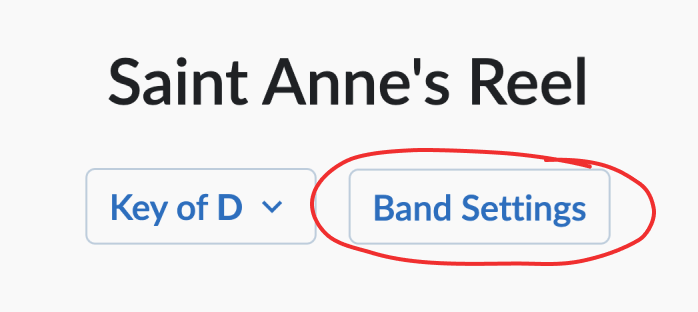
On each song page, under the song title, you’ll find a button that opens the Band Settings menu:
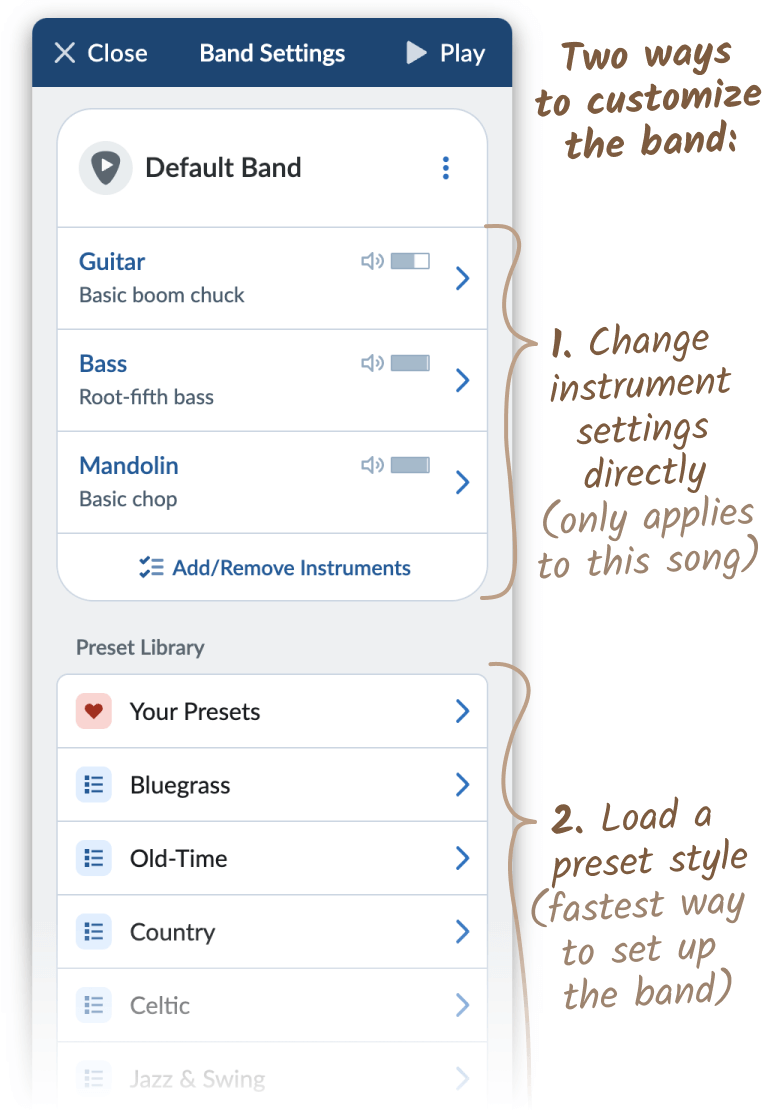
Each song has its own set of band settings, which Strum Machine uses during playback. The Band Settings menu gives you two ways to customize the band:
-
Change instrument settings directly by clicking on an instrument. You can also add/remove instruments in the current band.
-
Load a preset style. It’s the fastest way to get the band sounding at least close to what you want to hear, so we recommend starting with this.
As you’re customizing the band, be sure to utilize the Play button in the top-right corner to hear how things are sounding with the current song!
Useful things to know
-
Each song has its own individual band settings.
-
Any time you modify the band, your changes are saved automatically.
-
Built-in presets are not editable, but you can load a preset and then make changes to the instruments, in which case you’ll switch from using the preset to a “Custom Band” for that song.
-
Once you have a Custom Band that you like, you can optionally add it as a new preset to Your Presets, which will make it easy to apply to other songs. You can also edit your own presets.
-
The default band can be changed.