Updating an existing band preset
You cannot edit built-in presets, but you can edit any preset you create (i.e. any preset in Your Presets). Here’s how:
-
Go into Your Presets and select the preset you want to edit.
-
Click “Back” to return to the start of the band settings menu.
-
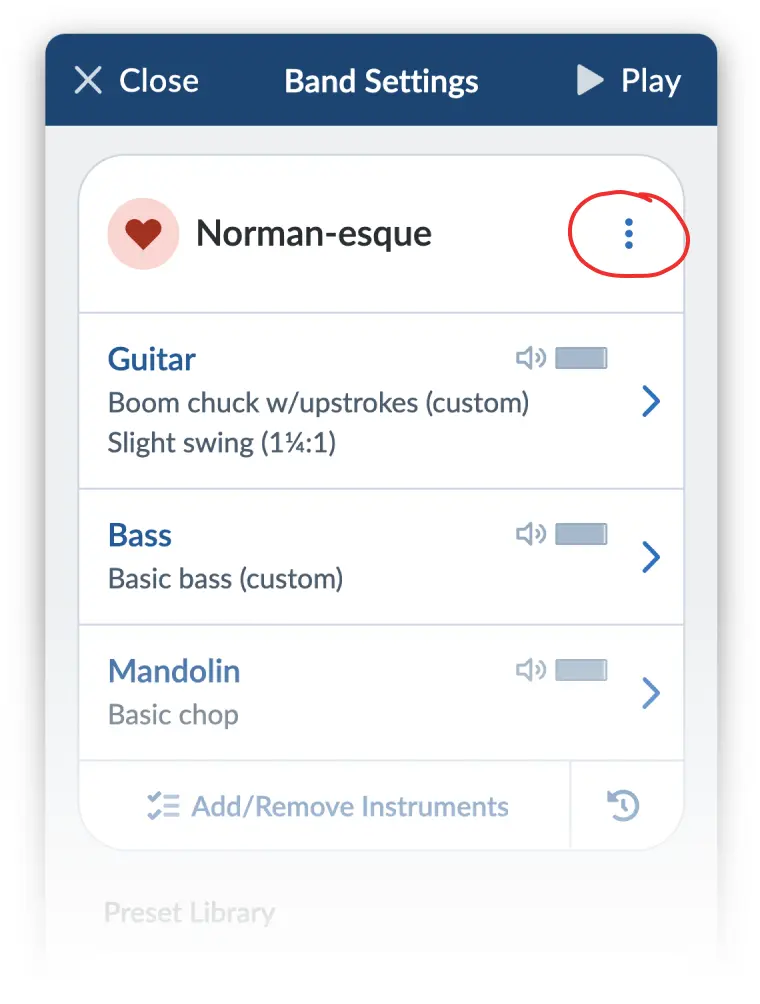
Don’t start making changes yet! First, you need to go into “editing mode” by clicking the three-dots menu next to the preset name and choosing “Edit preset”:
-
Now you can make whatever changes you like to the instruments. When you’re done, just click “Save Changes” and your preset will be updated.
These changes will apply to the current song and any songs in the future that use this preset, as well as any songs that are currently set to use this preset.
Want to update the default settings? We’ve got a special guide for changing the default band settings.