Guide: Playing Songs
Starting playback
Three ways to start playback:
- Click the big blue play button to start from the top.
- Hit spacebar to start playback with your keyboard.
- Click on any chord to play from that point in the song.
Adjusting the speed
The current playback speed is shown in BPM, or beats per minute. By default, this means quarter notes per minute in 3/4 time and downbeats per minute in other time signatures, although this can be changed.
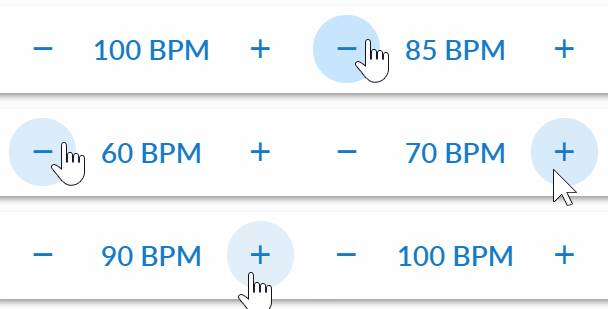
Click on the –/+ buttons to raise/lower the speed in 5 BPM increments, or hold down Shift to adjust 1 BPM at a time. Or, click on the current BPM display to type in a tempo:
Changing the key
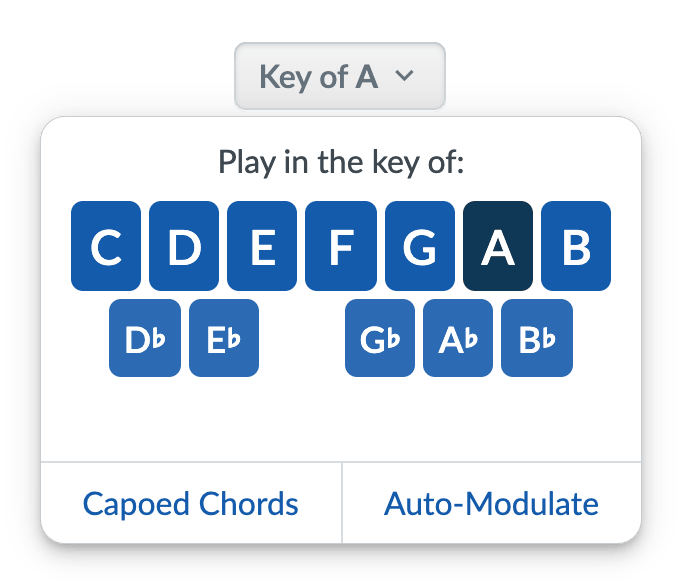
The current key is shown below the song title. Click on it to show the key changer:
Strum Machine will remember your preferred key (and speed for that matter) even if you close and reopen Strum Machine.
(Capoed Chords and Auto-Modulate are advanced features; click those links to learn more about them.)
Looping part of a song
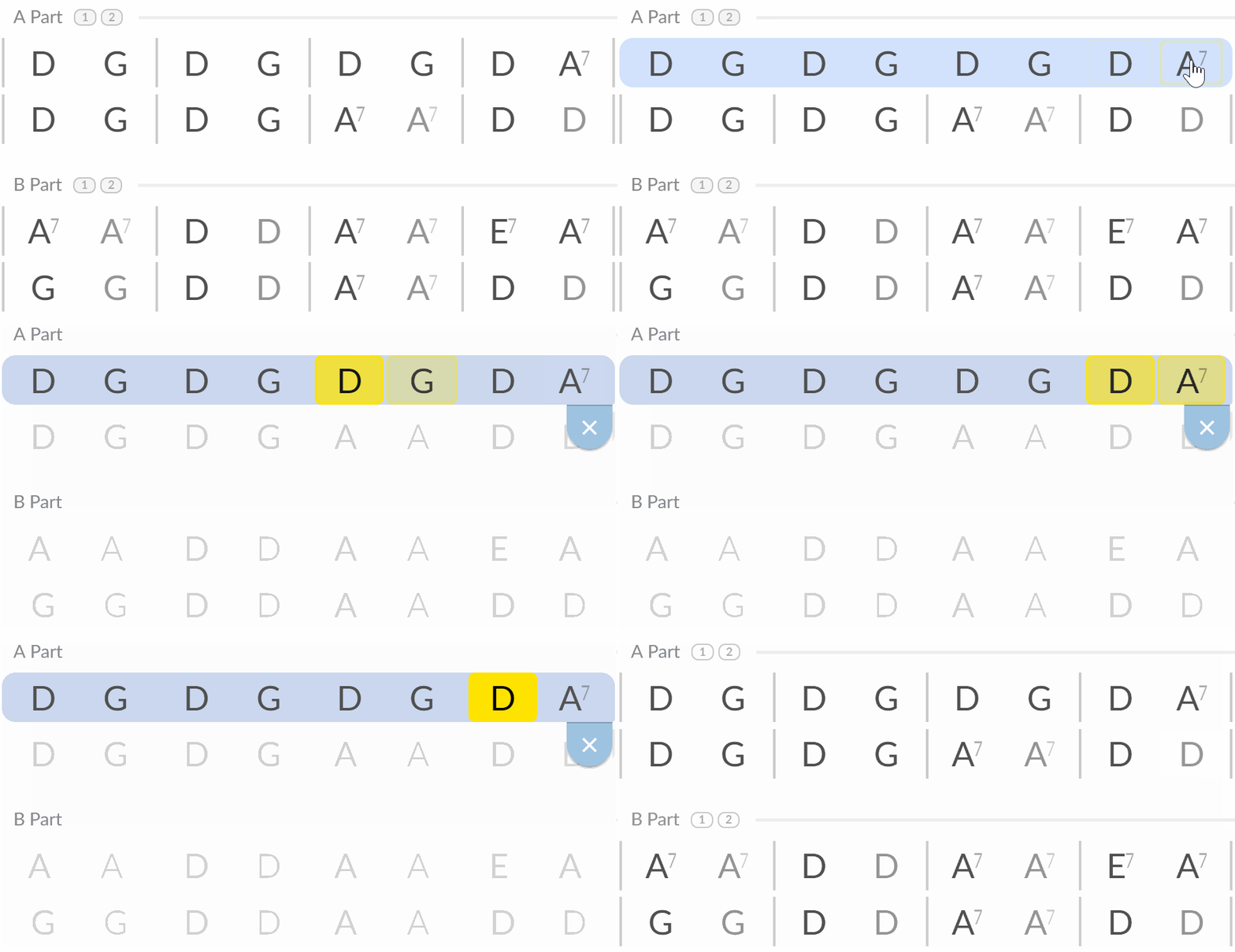
Repeating part of a song over and over is easy. Simply click and drag from the first chord in the desired loop to the last chord, the same way you would normally highlight text:
Speedup and Rep Limit
Speedup increases the tempo by a set amount every time the song repeats (or after every n repetitions). This tool is great for building speed on your instrument. Try setting it to 1 BPM or 2 BPM; you’ll barely notice the speed increasing each time, which is a great way to “sneak up” to your top speed. Learn more about Speedup here.
Rep Limit ends the song after a set number of repetitions. Learn more about Rep Limit here.
Both tools can be found to the right of the speed controls. On a small screen, you’ll find them under the “Auto…” menu.
Back to guides index