Metronome
You can add a metronome sound or “click track” to any song in Strum Machine.
In this article:
Enabling the Metronome
There are two ways to enable the metronome. The main way is to use the metronome settings menu:
Click on the Count-in & Metronome menu button in the playback bar:

Then click on the “Metronome” tab:
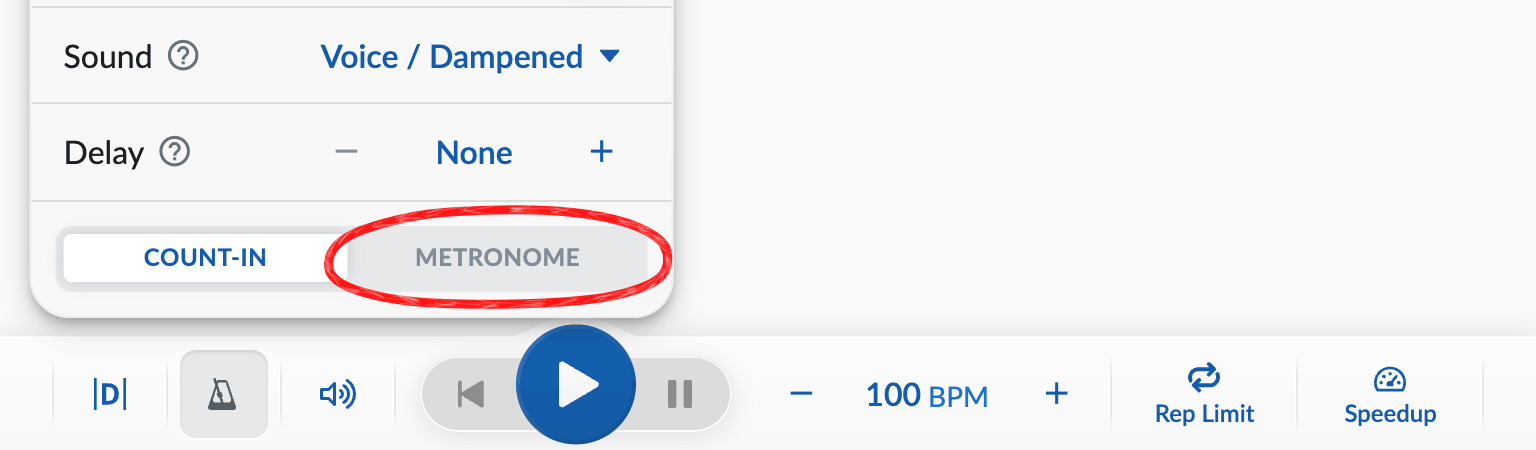
(If your app or browser window is narrow and the quick-settings menu buttons aren’t visible on the playback bar, open the top-right and click .)
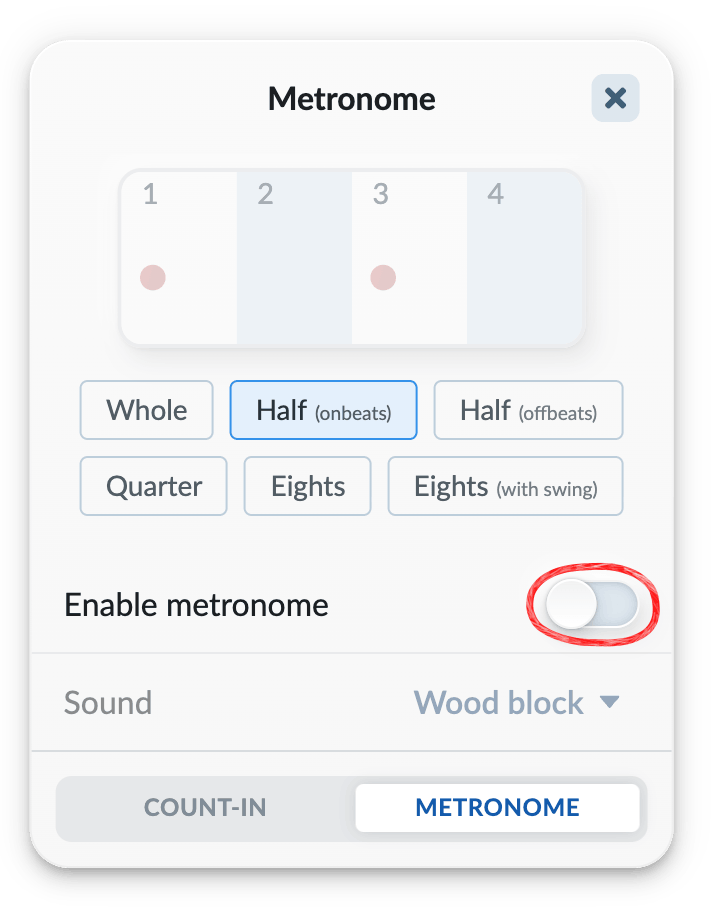
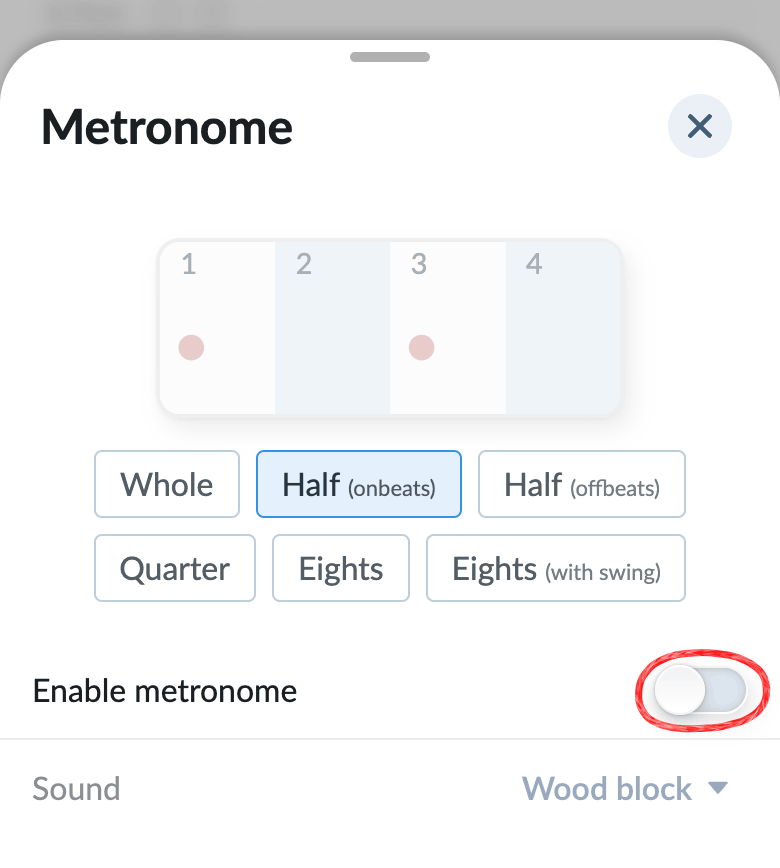
Finally, from the Metronome tab, turn on “Enable metronome”:
Tap on the Count-in & Metronome menu button in the playback bar:

Then tap on the “Metronome” tab:
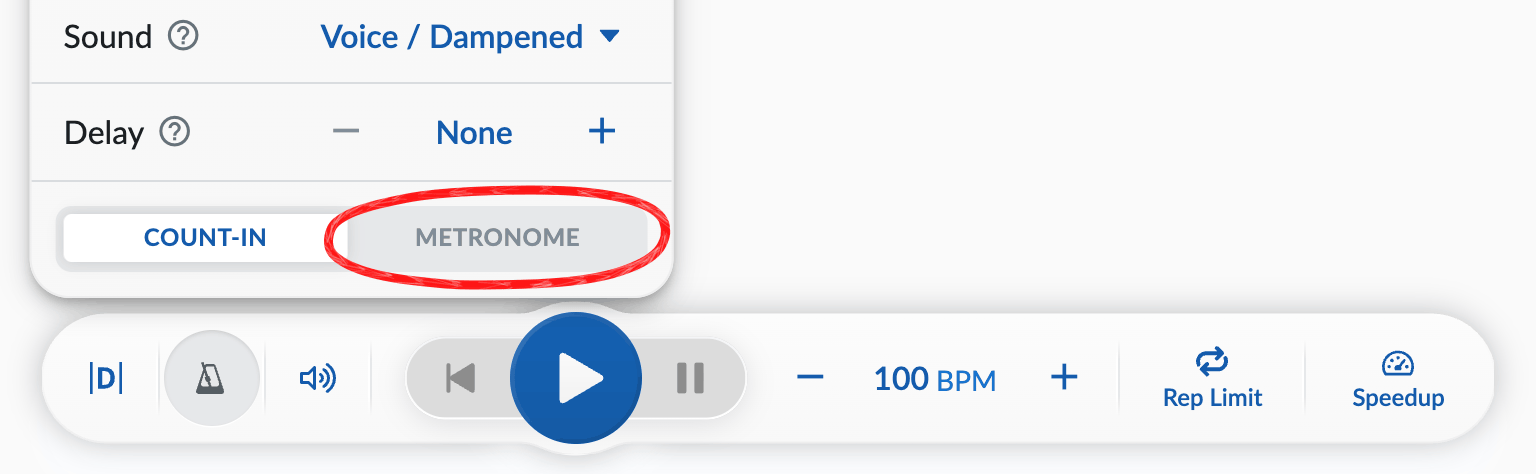
(If your screen is narrow and the quick-settings menu buttons aren’t visible on the playback bar, go to menu → in the top-right corner.)
Finally, from the Metronome tab, turn on “Enable metronome”:
Tap on the button in the top-right corner, then tap on :
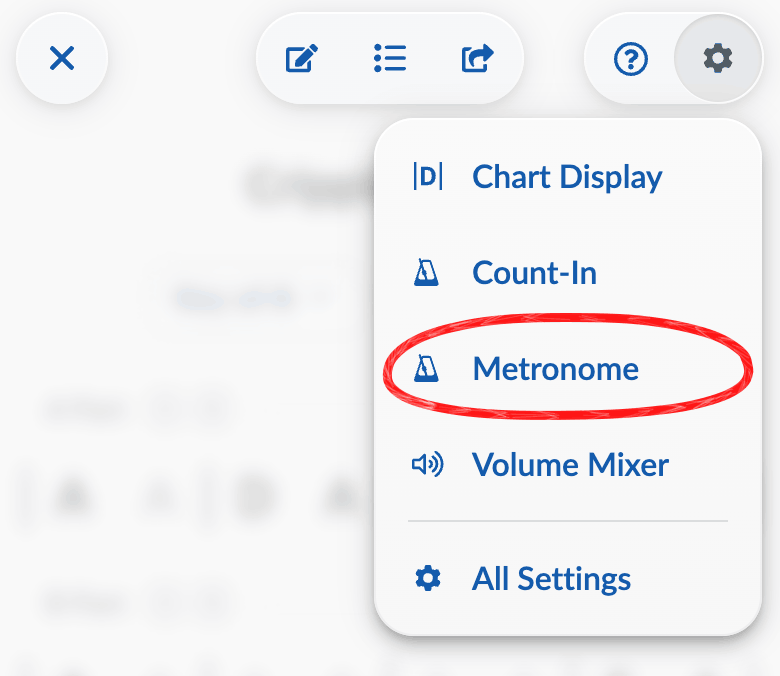
Then, from the Metronome menu, turn on “Enable metronome”:
The other way you can enable the metronome is through the Volume Mixer. You can click the “Mute” button on the metronome to toggle it on/off from the volume mixer.
Metronome Settings Menu
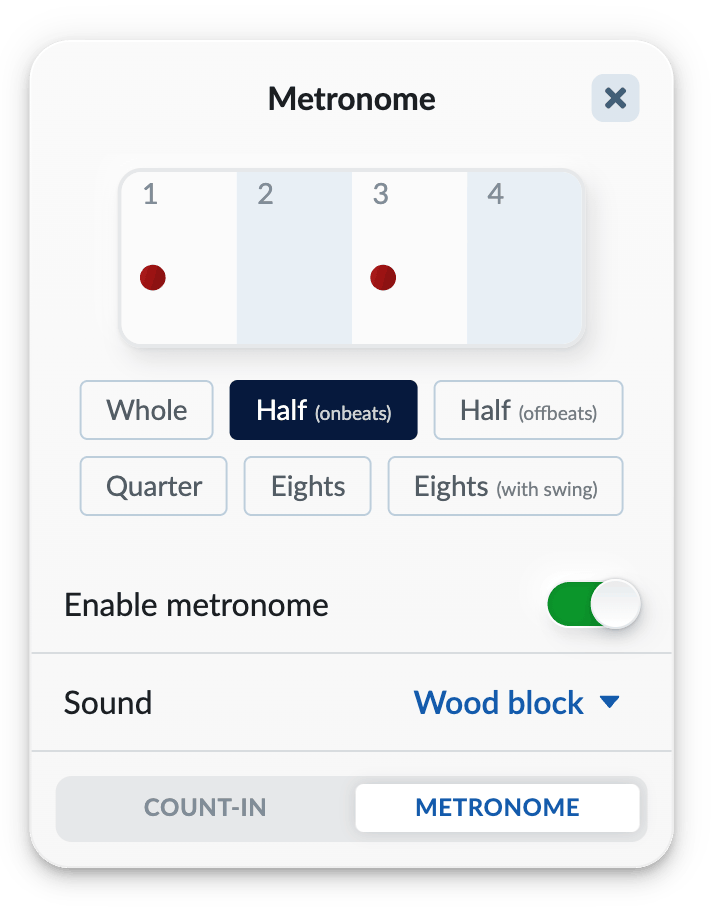
Beat/Tick Preview
This is a visualizion of when you’ll hear metronome sounds in the course of a measure of playback. In the example above, you’ll hear two ticks per measure.
Subdivision Selection
This controls how many ticks per measure you’ll hear. In the example above, “Half (onbeats)” is selected, meaning the metronome will play “half notes” (i.e. taking up half the measure) on the onbeats.
Enable/Disable Toggle
This turns the metronome on or off. (You can also do this from the Volume Mixer by clicking the “Mute” button on the metronome.)
Sound Selection
Choose from a variety of metronome sounds.
Muting Other Instruments
If you’d like to hear the metronome alone, open the Volume Mixer and click the “Mute” button on the other instruments.
Standalone Metronome
There is no standalone metronome tool available yet, but it’s been requested many times so we have it on our radar. In the meantime, one possible workaround is to create a song that you use specifically for metronome practice. Make it have at least one whole measure, save it, remove all instruments from the band, and then you have a nice “silent” song that you can stick a metronome on.